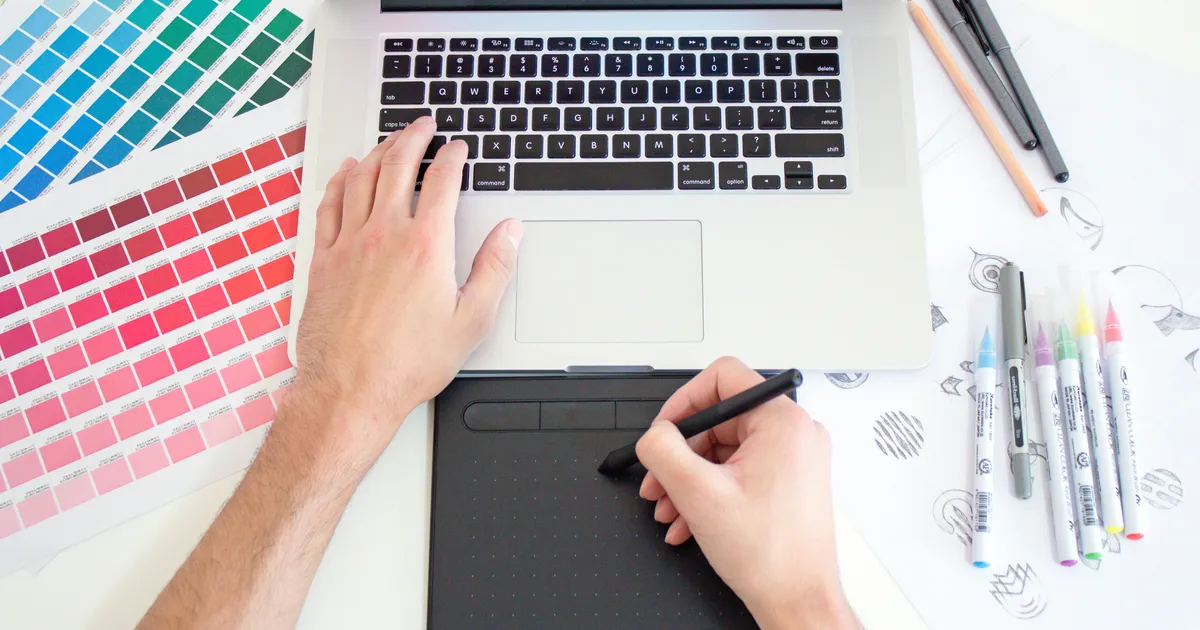
I remember a time, not so long ago, when my content felt… flat. I’d pour my heart into words, craft compelling narratives, but my accompanying visuals were, frankly, an afterthought. Generic stock photos and hastily slapped-together graphics did little to capture attention in a crowded digital landscape. It was a harsh lesson in the power of visual communication, and it’s why I’m so passionate about exploring the best graphic design tools for content creators today. The right tools don’t just make your content look good; they elevate your message, build your brand, and dramatically increase engagement. From quick social media posts to complex infographics, mastering a few key applications can transform your creative output and ensure your content truly stands out in 2026 and beyond.
The Accessible All-Stars: Canva & Adobe Express
For many content creators, particularly those just starting out or working with tight deadlines, cloud-based platforms like Canva and Adobe Express are absolute lifesavers. They’ve democratized design, offering intuitive drag-and-drop interfaces paired with vast libraries of templates, fonts, and stock assets. You don’t need a degree in graphic design to create stunning social media graphics, engaging presentations, or eye-catching blog headers. These tools excel at speed and convenience, allowing you to maintain a consistent brand aesthetic across all your platforms without breaking the bank or spending hours on each design.
What truly sets these platforms apart is their sheer accessibility and collaborative features. Teams can work on projects simultaneously, sharing brand kits and feedback seamlessly, which is invaluable for agencies or growing content teams. While power users might find their customization options somewhat limited compared to professional desktop software, for the vast majority of daily content creation tasks—think Instagram stories, YouTube thumbnails, or quick banner ads—Canva and Adobe Express are more than sufficient. They represent a significant leap forward in empowering non-designers to produce high-quality visuals effortlessly.
Precision & Power: Adobe Creative Cloud Suite
When your content demands a level of bespoke craftsmanship that templates just can’t provide, the Adobe Creative Cloud Suite becomes indispensable. Programs like Photoshop and Illustrator are the industry gold standard for a reason. Photoshop, a raster-based editor, is unmatched for photo manipulation, intricate image compositing, and creating stunning digital art. Illustrator, on the other hand, is a vector-based powerhouse perfect for crafting scalable logos, custom icons, and complex illustrations that retain their crispness at any size. These tools offer unparalleled control over every pixel and path, allowing for truly unique and sophisticated visual identities.
While the learning curve for Adobe’s flagship products is steeper, the investment in time pays dividends for creators aiming for a distinctive professional edge. For those building a strong personal brand or working with clients who require specific, high-fidelity graphics, the Creative Cloud is non-negotiable. It integrates seamlessly across its applications, meaning you can easily move assets from Illustrator to Photoshop, or even into Premiere Pro for video projects. Mastering these tools ensures your graphic design capabilities are future-proofed, allowing you to tackle virtually any visual challenge that comes your way, even well into 2026.
Beyond the Basics: Leveraging Advanced Features
Once you’ve grasped the fundamentals of Photoshop and Illustrator, exploring their advanced features can unlock incredible creative potential. Think about Photoshop’s non-destructive editing with Smart Objects and adjustment layers, or Illustrator’s powerful Pen tool for precise vector drawing and its expansive effects gallery. Learning about blend modes, masking techniques, and custom brushes in Photoshop can transform your image manipulation. In Illustrator, delving into Pathfinder operations, gradient meshes, and global swatches can dramatically speed up complex vector art creation and ensure brand consistency across numerous assets. These deeper dives allow you to move from simply making graphics to truly designing them with intent and artistic flair, setting your content apart from the mass-produced.
Vector Versatility: Affinity Designer
For creators who appreciate the power of vector graphics but prefer a one-time purchase model over a subscription, Affinity Designer stands out as an exceptionally robust alternative to Adobe Illustrator. It offers a professional-grade feature set for creating everything from intricate logos and icons to detailed illustrations and UI designs. Its intuitive interface and impressive performance, even on less powerful machines, make it a compelling choice. I’ve personally found its Persona system, which seamlessly switches between vector, pixel, and export workspaces, incredibly efficient for hybrid design tasks that might typically require multiple applications.
Affinity Designer truly shines in its ability to handle both vector and raster elements within the same document without compromise, a flexibility often missing in purely vector-focused tools. This means you can integrate photographic textures into your vector illustrations or perform light photo editing directly within your design project. For content creators focused on branding, merchandise design, or creating scalable marketing materials, Affinity Designer provides a powerful and cost-effective solution that doesn’t skimp on professional capabilities. It’s a testament to how much high-quality graphic design tools have evolved, offering creators more choice than ever.
Motion & Storytelling: Video Editing Software
In today’s content landscape, “graphic design” extends far beyond static images. Motion graphics, animated text, and visually engaging video intros are crucial for platforms like YouTube, TikTok, and Instagram Reels. Tools like DaVinci Resolve (my personal favorite for its comprehensive free version) and CapCut (a fantastic mobile-first option) empower content creators to integrate stunning visual elements into their video narratives. DaVinci Resolve offers professional-grade editing, color grading, visual effects (through its Fusion page), and audio post-production all in one suite, making it an all-encompassing powerhouse for visual storytelling.
CapCut, on the other hand, excels in its simplicity and effectiveness for quick, impactful video edits directly from your smartphone or desktop. Its user-friendly interface, trending effects, and robust template library make it ideal for generating engaging short-form video content on the go. While not traditional graphic design software, these video editing tools are essential for applying animated brand elements, creating dynamic title cards, and adding visual flair that captures and holds audience attention. They are indispensable graphic design tools for content creators navigating the dynamic world of video content in 2026.
AI-Powered Visuals: Midjourney & DALL-E 3
The advent of AI-powered image generation tools like Midjourney and DALL-E 3 has added an entirely new dimension to graphic design for content creators. These platforms allow you to generate unique, high-quality images from simple text prompts, providing an unprecedented ability to visualize abstract concepts or create bespoke imagery without needing extensive drawing or photography skills. While they won’t replace human designers, they serve as incredible brainstorming partners, helping to quickly mock up visual ideas, generate unique backgrounds, or create stylized illustrations that would otherwise take hours. I often use them for initial concept generation.
However, it’s crucial to approach AI art with a nuanced perspective, considering ethical implications and the need for human refinement. These tools are best used as powerful creative aids, not as a complete replacement for thoughtful design. Integrating AI-generated elements into your existing workflow, perhaps by refining them in Photoshop or using them as inspiration for custom illustrations, can significantly boost your productivity and expand your creative horizons. They represent a fascinating and rapidly evolving frontier in visual content creation, offering innovative ways to solve common graphic design challenges.
Key Takeaways
- Balance Power with Accessibility: Choose tools that match your skill level and project needs. Start with user-friendly options like Canva or Adobe Express for everyday tasks, and consider professional suites like Adobe Creative Cloud or Affinity Designer for advanced, custom branding.
- Embrace Versatility: Graphic design for content creators extends to video. Integrating tools like DaVinci Resolve or CapCut allows you to create dynamic motion graphics and enhance your video content, which is crucial for modern platforms.
- Leverage AI Thoughtfully: AI image generators such as Midjourney and DALL-E 3 are powerful for brainstorming and creating unique assets, but they are most effective when used as creative assistants, refined and guided by human artistic direction.
- Invest in Learning: Regardless of the tools you choose, continuous learning is key. The digital landscape and design software evolve rapidly, so staying updated with new features and techniques will ensure your content remains fresh and engaging for your audience.
Frequently Asked Questions
Do I need expensive software to create great graphics?
Absolutely not! Many fantastic graphic design tools for content creators, like Canva’s free tier, Adobe Express, GIMP, and even the full version of DaVinci Resolve, offer powerful features without a hefty price tag. Your creativity and understanding of design principles are far more important than the cost of your software.
How do I choose the right graphic design tool for my needs?
Consider your primary content types (e.g., social media, blog posts, video), your current skill level, and your budget. If you need quick, template-based designs, Canva is excellent. For intricate photo editing or vector illustrations, Adobe Photoshop or Illustrator (or their Affinity counterparts) might be better. Always try free trials if available!
Can I do graphic design on my mobile device?
Yes, many graphic design tools now offer robust mobile apps. Canva, Adobe Express, and CapCut are prime examples that allow you to create and edit high-quality visuals directly from your smartphone or tablet, making on-the-go content creation incredibly convenient.
What’s the most essential graphic design tool for a beginner content creator?
For a beginner, I would highly recommend starting with Canva. Its user-friendly interface, vast template library, and comprehensive free tier make it incredibly accessible for creating a wide range of visual content quickly and effectively, providing a solid foundation before exploring more complex software.
Conclusion
The journey of a content creator is intrinsically linked to the evolution of visual communication. The right graphic design tools for content creators are not just applications; they are extensions of your creative vision, enabling you to tell stories, build brands, and connect with audiences in powerful ways. Whether you opt for the simplicity of Canva, the precision of Adobe Creative Cloud, or the innovative edge of AI, remember that the most potent tool is your own creativity and willingness to learn. Embrace the diverse ecosystem of options available, experiment fearlessly, and watch as your content transforms and captivates well into 2026 and beyond.