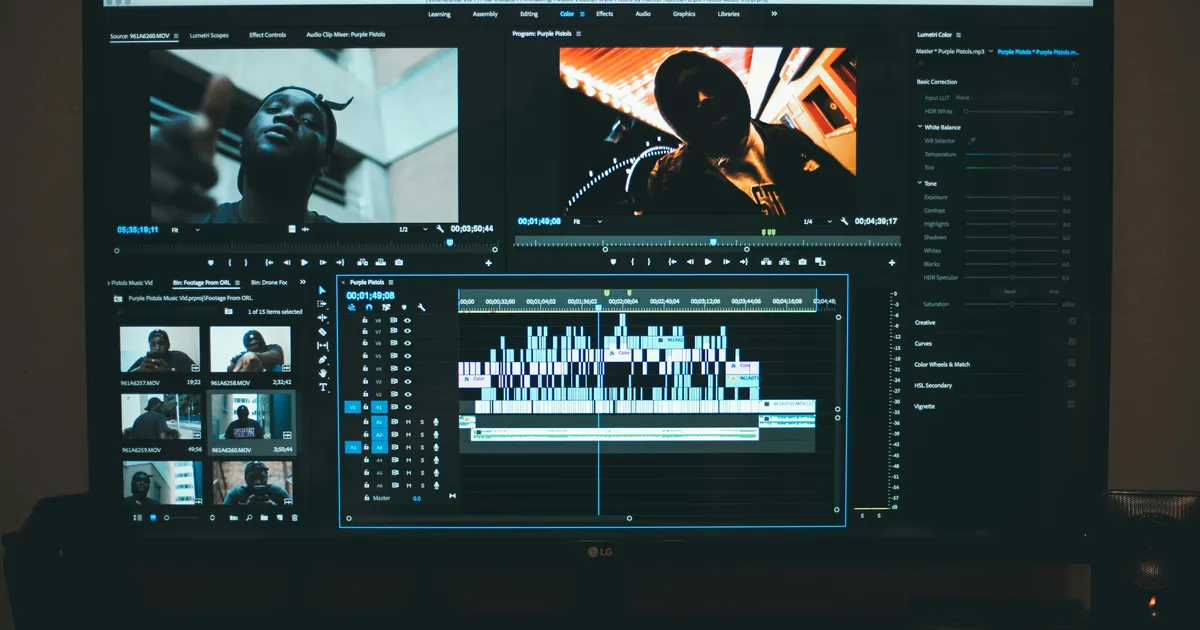
I remember the sheer intimidation I felt years ago, staring at professional video editing software. It looked like the control panel of a spaceship, utterly alien and complex. But here’s a secret: that barrier to entry has evaporated, especially with the incredible selection of video editing tools for beginners online available today. You don’t need expensive software or a powerful computer; you just need a web browser and a story to tell. My journey from a complete novice to confidently crafting engaging videos began with these accessible online platforms, proving that anyone can start creating compelling content with the right guidance.
Choosing Your First Online Editor
Diving into the world of video editing can feel overwhelming, but picking the right online tool is your crucial first step. For absolute beginners, prioritize platforms with intuitive drag-and-drop interfaces and clear, concise menus. Think about what you want to achieve. Are you making short social media clips, a family montage, or a simple explainer video? Some tools excel at quick edits, while others offer a bit more creative control without sacrificing user-friendliness. The best editor is one that doesn’t make you feel lost within the first five minutes.
Many online editors offer a free tier, which is fantastic for experimentation. This allows you to test the waters, understand basic functionalities, and see if the workflow clicks with your personal style before committing financially. Look for features like direct export to social media platforms, a decent library of stock music, and fundamental cutting and trimming capabilities. My personal recommendation often leans towards tools that combine a robust feature set with an uncluttered workspace, ensuring you can grow your skills naturally without feeling overwhelmed by advanced options you don’t yet need.
Essential Features for Novices
When you’re just starting out, you don’t need every bell and whistle a professional editor offers. Focus on the core features that will enable you to tell your story effectively. The ability to easily trim and cut clips, arrange them on a timeline, and add simple transitions are paramount. These basic functions form the backbone of any video project, allowing you to refine your footage into a coherent sequence. Without these, your raw footage remains just that – raw and unedited, lacking flow and purpose.
Beyond basic cuts, look for user-friendly options to incorporate text overlays, which are crucial for titles, captions, or adding context to your visuals. The ability to add background music from a royalty-free library can dramatically enhance the emotional impact of your video, so check for this feature. Finally, simple color correction tools can make a huge difference in polishing your footage, even if it’s just adjusting brightness or contrast. These seemingly small features collectively elevate your beginner videos from amateur attempts to watchable, engaging content.
Free vs. Paid: What’s the Catch?
The allure of “free” is powerful, and many excellent online video editing tools offer robust free tiers. These are fantastic for learning the ropes and completing simple projects without any financial commitment. However, it’s important to understand the trade-offs. Free versions often come with limitations such as watermarks on your exported videos, lower resolution output, or restricted access to premium features like extensive stock media libraries, advanced effects, or longer project durations. For casual users, these limitations might be perfectly acceptable.
Understanding Watermarks and Export Limitations
Watermarks are often the most noticeable hurdle with free online editors. They’re typically a small logo or text placed strategically on your video by the software company, serving as branding and a gentle nudge towards their paid plans. While fine for personal projects or quick shares among friends, a watermark can diminish the professional appearance of your content, especially if you plan to share it publicly or commercially. Export limitations, such as being restricted to 720p resolution or shorter video lengths, also impact the quality and utility of your final product, making a paid upgrade sometimes necessary for higher standards.
Moving to a paid subscription usually unlocks the full potential of an online editor. You’ll typically gain access to a much larger library of stock footage, music, and templates, which can save you immense amounts of time and effort. Higher resolution exports, no watermarks, and often more cloud storage are standard benefits. For anyone serious about consistently producing quality video content, even as a beginner, investing in an affordable monthly or annual plan often pays dividends in terms of features, quality, and the sheer joy of creating without restrictions. Consider it an investment in your creative journey by 2026.
Learning the Ropes: Resources and Community
Embarking on your video editing journey doesn’t mean going it alone. Most reputable online video editing tools offer extensive tutorial libraries, often in video format themselves, guiding you through every feature from basic cuts to more advanced techniques. These in-platform resources are invaluable for getting started and troubleshooting specific issues. Take the time to explore these guides; they’re designed to help you maximize the software’s potential and streamline your workflow. Many platforms also have dedicated blogs with tips and tricks for improving your video storytelling.
Beyond official tutorials, the internet is brimming with helpful communities and independent creators. YouTube, for example, is a treasure trove of user-generated guides, offering alternative perspectives and creative approaches to using various online editors. Joining Facebook groups or online forums dedicated to video editing can also provide a supportive environment where you can ask questions, share your work, and learn from others’ experiences. Engaging with these communities can accelerate your learning curve and inspire new ideas, making the journey much more enjoyable. Checking out sites like YouTube for tutorials is always a good idea.
Beyond the Basics: Growing Your Skills
Once you’re comfortable with the fundamental video editing tools for beginners online, you’ll naturally start looking for ways to elevate your creations. This might involve experimenting with more sophisticated transitions, exploring advanced text animations, or diving deeper into color grading to give your videos a distinct mood. Many online editors, even those designed for beginners, have these more advanced features tucked away, waiting for you to discover them. Don’t be afraid to click around and try new things; that’s how true learning happens.
As you gain confidence, consider exploring basic audio mixing techniques to balance dialogue, music, and sound effects for a more professional sound. Experiment with different pacing and rhythm in your edits to see how they affect viewer engagement. By 2026, the capabilities of online editors will only continue to grow, bridging the gap with desktop software. The key is continuous practice and a willingness to push your creative boundaries. Remember, every expert started as a beginner, and consistent effort is the most powerful tool in your creative arsenal.
Key Takeaways
- Start Simple and Online: Don’t get bogged down by complex software. Begin with user-friendly, web-based video editing tools that allow you to learn fundamental skills without installation or significant investment.
- Prioritize Core Features: Focus on mastering essential functions like trimming, cutting, adding transitions, text overlays, and basic audio/music integration. These form the foundation of compelling video storytelling.
- Understand Free vs. Paid Limitations: While free versions are excellent for learning, be aware of common limitations such as watermarks, lower export resolutions, and restricted feature sets. A paid upgrade often enhances quality and creative freedom.
- Leverage Learning Resources: Utilize in-app tutorials, YouTube guides, and online communities to accelerate your learning. Consistent practice and seeking inspiration from others are crucial for skill development.
Frequently Asked Questions
Can I really create professional-looking videos with online tools?
Absolutely! While “professional” can be subjective, many online video editing tools offer robust features that allow beginners to produce high-quality videos suitable for social media, personal projects, or even small business marketing. With practice and an understanding of good storytelling principles, your output can certainly look polished.
How long does it take to learn the basics of online video editing?
The beauty of beginner-friendly online tools is their intuitive design. You can often learn the very basics (trimming, adding music, simple text) in a matter of hours or a single afternoon. To get comfortable and start producing cohesive videos, dedicate a few sessions over a week or two. Consistent practice is the fastest route to proficiency.
Do I need a powerful computer to use online video editors?
One of the biggest advantages of online video editing tools is that they leverage cloud computing. This means most of the heavy lifting is done on remote servers, not your local machine. You’ll need a stable internet connection and a modern web browser, but generally, a powerful computer is not a prerequisite, making them accessible to a wider audience.
What’s the best way to get royalty-free music and stock footage?
Many online video editors include built-in libraries of royalty-free music and stock footage, especially in their paid tiers. For external options, websites like Pixabay, Pexels, and Unsplash offer free stock photos and videos, while Epidemic Sound and Artlist provide extensive royalty-free music libraries via subscription. Always check the licensing terms carefully.
Conclusion
The world of video creation is more accessible than ever, thanks to the fantastic array of video editing tools for beginners online. Gone are the days of needing expensive software or a steep learning curve. By choosing an intuitive platform, focusing on core editing skills, and embracing the abundant online resources, you can transform your raw footage into compelling stories. Don’t let hesitation hold you back; start experimenting today. Your unique voice and creative vision are just a few clicks away from being shared with the world, and by 2026, you’ll be amazed at your progress.